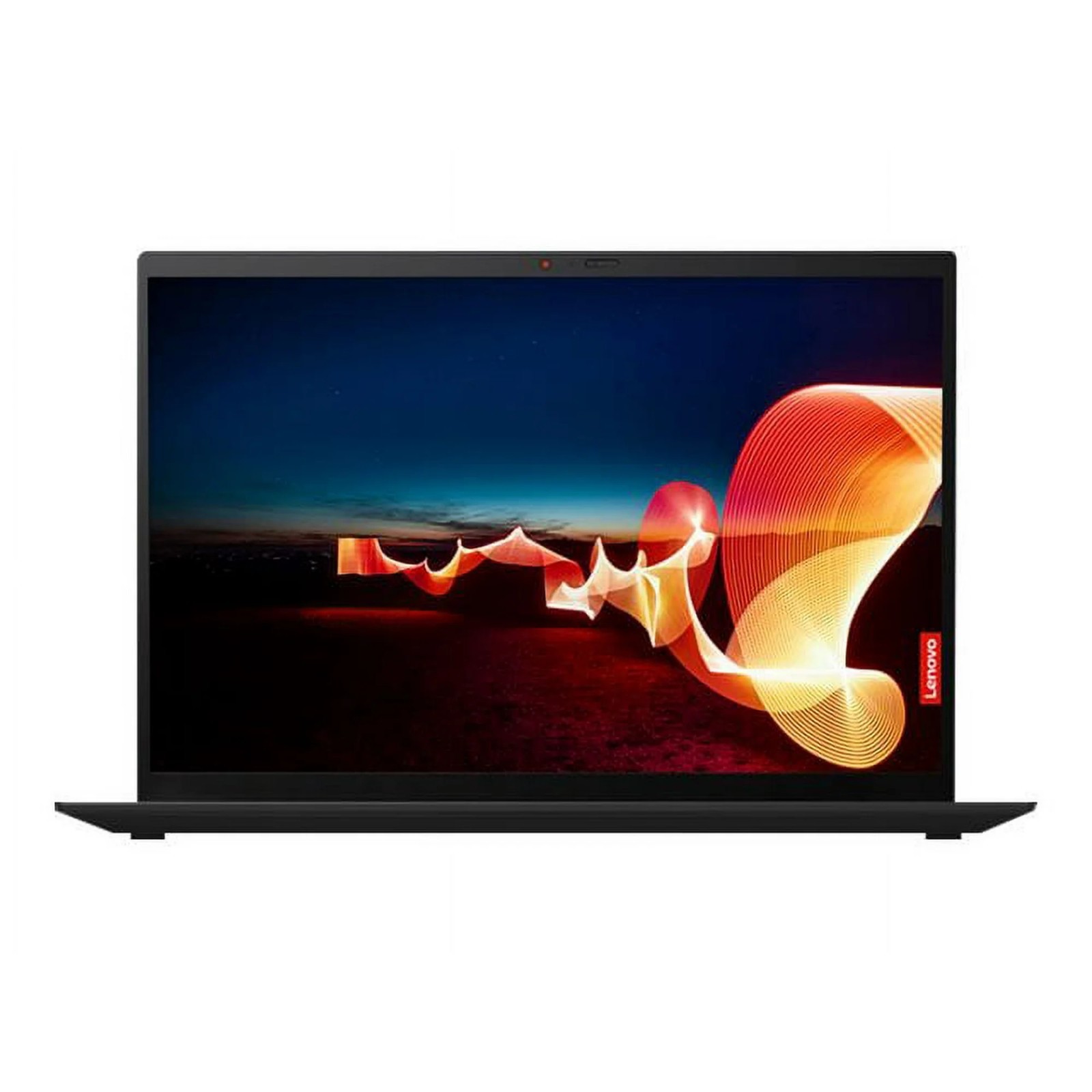
ThinkPad vs Dell XPS Refurbished: A Detailed Comparison for 2026
Key takeaway: All prices and deals shown in this guide are pulled live from eBay and update hourly. Every recommendation is based on current market availability, not hypothetical deals.
Choosing between a refurbished ThinkPad and a refurbished Dell XPS is one of the most common decisions buyers face in the premium refurbished laptop market. Both are genuinely excellent machines. Both have strong reputations. Both represent exceptional value refurbished versus new. But they serve fundamentally different users, and choosing the wrong one for your needs is a mistake you will feel every day.
This guide provides a detailed, honest comparison based on current market availability and pricing. We cover build quality, keyboard and display experience, battery life, repairability, and the specific use cases where each machine excels. All price ranges reflect live eBay market data.
The Core Philosophical Difference
Understanding why ThinkPads and Dell XPS laptops are different requires understanding who designed them and why.
ThinkPads were created by IBM engineers in the early 1990s with a specific mandate: build the most reliable, functional laptop a business professional could use in any environment. Aesthetics were explicitly secondary to function. The result is a machine optimized for keyboard quality, durability, repairability, port selection, and long-term reliability. Every design decision serves the user's productivity, not the product's appearance.
Dell XPS laptops were designed in direct competition with Apple's MacBook lineup. The mandate was to match Apple's premium aesthetics, display quality, and build materials while running Windows. The result is a machine that looks and feels exceptional, with outstanding display quality and premium materials, but trades repairability, port selection, and some durability for thinness and visual appeal.
Build Quality and Durability: An Honest Assessment
ThinkPad Build Quality
Lenovo's premium ThinkPad models use carbon fiber reinforced polymer for the lid and base, creating a chassis that is both lighter than aluminum and more resistant to torsional flex. The X1 Carbon, for example, weighs approximately 1.1 to 1.2 kilograms while passing military specification 810G testing for dust, shock, vibration, humidity, altitude, and temperature extremes.
The T-series ThinkPads use a combination of magnesium alloy and reinforced plastic that is less prestigious in feel but similarly durable in practice. These machines were designed to survive being dropped, having coffee spilled on them, being packed in luggage, and operating in challenging environments. The keyboard is spill-resistant with drainage channels. The hinges are rated for tens of thousands of open-close cycles.
Dell XPS Build Quality
Dell XPS laptops are built from premium materials that create an exceptional tactile experience. The XPS 13 and 15 use machined aluminum for the base and lid, with a carbon fiber palm rest on many configurations. The result is a machine that feels as premium as any MacBook and significantly more premium than most Windows laptops.
However, the XPS design philosophy prioritizes thinness and aesthetics over structural robustness. The thin chassis provides less protection for internal components during drops. The display bezels are extremely thin and the display assembly has less rigidity than a ThinkPad. Under normal careful use an XPS holds up excellently. Under the kinds of accidental drops and real-world abuse that ThinkPads routinely survive, XPS laptops are more vulnerable.
Keyboard Quality: The Most Underrated Spec
If you type for extended periods daily, keyboard quality is arguably the most important specification in a laptop. It determines your physical comfort, your typing speed, your error rate, and ultimately your enjoyment of using the machine.
The ThinkPad keyboard is widely and consistently ranked as the best laptop keyboard available from any manufacturer at any price. The key travel is generous at approximately 1.8mm. The tactile feedback is precise and satisfying. The layout includes a full row of function keys, dedicated page navigation keys, and the iconic ThinkPad red TrackPoint pointing stick that allows cursor control without moving hands from the home row. Touch typists who switch to ThinkPads frequently describe the experience as transformative.
Dell XPS keyboards are good but not exceptional. The extreme thinness of the XPS chassis limits key travel to approximately 1.0 to 1.3mm depending on the generation. The keys feel somewhat shallow compared to ThinkPads, though typing accuracy is still high. For casual typing and occasional writing tasks the XPS keyboard is perfectly acceptable. For users who write thousands of words daily, the difference versus a ThinkPad is significant.
Bottom line: If you type for more than two hours per day, try both keyboards before committing. The ThinkPad keyboard advantage is real and meaningful for heavy typists.
Display Quality: Dell XPS Wins Clearly
The Dell XPS InfinityEdge display is one of the finest laptop displays in the market at any price. Thin bezels create an immersive screen-to-body ratio. Color accuracy is excellent with coverage of the DCI-P3 wide color gamut on OLED configurations. Brightness reaches 500 nits or more on premium configurations. The 4K OLED option on the XPS 15 produces display quality that is genuinely competitive with professional monitors costing thousands of dollars.
ThinkPad displays are functional and adequate but rarely impressive. The X1 Carbon offers a good 2560x1600 display option with excellent anti-glare coating. Standard T-series models come with 1080p IPS displays that are decent but not distinctive. For users who care primarily about display quality for photo editing, video review, or simply enjoying a beautiful screen, the XPS is the superior choice by a meaningful margin.
Repairability: ThinkPad Wins Decisively
This is perhaps the most practically important difference between these two laptops for buyers who plan to use their machine for more than three years.
Lenovo publishes comprehensive hardware maintenance manuals for every ThinkPad model. These documents, freely available on Lenovo's website, provide step-by-step disassembly instructions with part numbers for every component. RAM is upgradeable on most T-series models. Storage is user-replaceable. Batteries are user-replaceable without tools on older models or with minimal tools on newer ones. Keyboards can be replaced by users. Replacement parts from Lenovo and third-party suppliers are widely available at reasonable prices.
Dell XPS repairability is poor by comparison. iFixit, the gold standard for repairability assessment, gives most XPS models scores of 2 to 4 out of 10. RAM is soldered to the motherboard on all recent XPS 13 models and cannot be upgraded after purchase. Batteries are adhered with strong adhesive requiring heat and significant skill to replace. Display replacement requires removing the entire top case assembly.
| Category | ThinkPad T480 | Dell XPS 13 9380 |
|---|---|---|
| RAM upgradeable | Yes, up to 32GB | No, soldered |
| Storage upgradeable | Yes, M.2 slot | Yes, M.2 slot |
| Battery replacement | User-replaceable | Requires adhesive removal |
| Keyboard replacement | Yes, user-replaceable | Requires full disassembly |
| iFixit score | 8/10 | 3/10 |
| Parts availability | Excellent | Limited |
Battery Life: ThinkPad T480 Is In a Class of Its Own
The ThinkPad T480 introduced a dual-battery architecture that produces battery life no other laptop at this price point can match. The internal battery combined with the external hot-swappable battery provides capacity up to 96Wh, delivering genuine 12 to 15 hours of real-world battery life under mixed productivity use.
Dell XPS 13 battery life is good at six to nine hours under light to moderate use, but it does not compete with a fully configured T480. For users who work in environments where charging is inconvenient — on aircraft, in meetings, at client sites — the T480 battery advantage is a practical daily benefit.
Which Should You Buy? A Decision Framework
Choose a refurbished ThinkPad if any of these describe you:
- You type extensively and keyboard quality materially affects your productivity
- You plan to keep the laptop for four or more years and value repairability
- You work in environments where durability is important
- You need maximum battery life for work away from power outlets
- You value long-term upgradeability for RAM and storage
Choose a refurbished Dell XPS if any of these describe you:
- Display quality is important for your work in photography, video, or design
- You prefer a premium aesthetic that matches or competes with MacBook build quality
- You primarily work at a desk where battery life and repairability matter less
- You will use the machine for three years or less before upgrading
- You value thinness and portability over durability
For users who are genuinely undecided, we lean toward recommending the ThinkPad for most buyers in the refurbished market. The combination of keyboard quality, repairability, battery life, and long-term value is difficult to match. But if display quality is your priority and you treat your laptop carefully, the XPS delivers an experience that is genuinely exceptional.
Ready to find your deal?
Browse live eBay listings updated hourly. Every link includes eBay buyer protection.
Browse All Deals →Affiliate disclosure: RefurbPicks earns a commission when you purchase through our eBay links at no extra cost to you. This never influences our recommendations.